
Unlocking the Full Potential of iOS 18.6: 10 Essential Settings to Revive Your iPhone Experience
ByAinvest
Saturday, Aug 9, 2025 9:12 am ET2min read
AAPL--
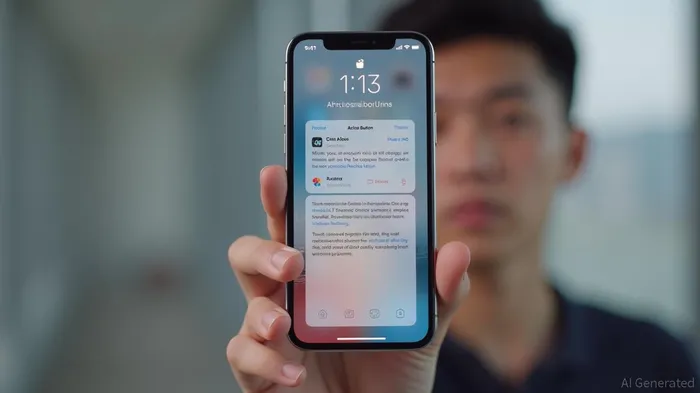
One of the standout features introduced in iOS 18.6 is the ability to customize lock screen buttons. Users can now swap out the default Flashlight and Camera buttons for apps like ChatGPT, Snapchat, Wallet, and more. This customization allows users to tailor the lock screen to their specific needs, making it more convenient and efficient [2].
Another significant update is the introduction of Apple Intelligence, which uses artificial intelligence to prioritize important notifications. This feature helps users reduce cognitive load by flagging alerts that are likely to be of interest, such as texts from favorite contacts or calendar invites from coworkers. By muting or hiding low-value pings like ads or spam, Apple Intelligence aims to minimize notification fatigue and keep users focused on what matters [2].
In addition to these user-facing enhancements, iOS 18.6 also includes critical security patches and bug fixes. The update addresses several high-severity vulnerabilities, including the CVE-2025-6558 WebKit zero-day exploit. By enabling automatic system and security updates, users can ensure their devices are always protected against the latest threats. This feature allows patches to be installed overnight, minimizing the disruption to the user's daily routine [2].
Furthermore, the update includes improvements to the Mail app, allowing users to turn off Mail categories. This change restores a unified inbox, making it easier to manage and find important emails without getting buried under various categories. This feature is particularly useful for users who receive a high volume of emails daily [2].
The iOS 18.6 update also introduces the ability to reprogram the Action Button on newer iPhone models. This feature allows users to assign specific functions or shortcuts to the Action Button, making it more versatile and customizable. This enhancement is particularly useful for users who rely heavily on the Action Button for various tasks [2].
In conclusion, the iOS 18.6 update offers a range of improvements that enhance the iPhone user experience. From customizable lock screen buttons and prioritized notifications to security patches and bug fixes, the update addresses several key areas that are important to users. By focusing on customization, security, and efficiency, iOS 18.6 aims to provide a more responsive and secure device for users.
References:
[1] https://www.geeky-gadgets.com/ios-18-6-battery-drain/
[2] https://www.zdnet.com/article/just-installed-ios-18-6-on-your-iphone-id-change-these-11-settings-asap/
iOS 18.6 update offers several changes to improve the iPhone user experience. The update allows users to customize their lock screen buttons, prioritize important notifications with AI, and clean up their inbox by turning off mail categories. Additionally, users can reprogram the Action Button on newer iPhone models and turn on Apple Intelligence to flag important alerts.
The latest iOS 18.6 update brings several enhancements to the iPhone user experience, focusing on customization, security, and efficiency. These changes aim to improve the overall usability and performance of the device, making it more responsive and secure for users.One of the standout features introduced in iOS 18.6 is the ability to customize lock screen buttons. Users can now swap out the default Flashlight and Camera buttons for apps like ChatGPT, Snapchat, Wallet, and more. This customization allows users to tailor the lock screen to their specific needs, making it more convenient and efficient [2].
Another significant update is the introduction of Apple Intelligence, which uses artificial intelligence to prioritize important notifications. This feature helps users reduce cognitive load by flagging alerts that are likely to be of interest, such as texts from favorite contacts or calendar invites from coworkers. By muting or hiding low-value pings like ads or spam, Apple Intelligence aims to minimize notification fatigue and keep users focused on what matters [2].
In addition to these user-facing enhancements, iOS 18.6 also includes critical security patches and bug fixes. The update addresses several high-severity vulnerabilities, including the CVE-2025-6558 WebKit zero-day exploit. By enabling automatic system and security updates, users can ensure their devices are always protected against the latest threats. This feature allows patches to be installed overnight, minimizing the disruption to the user's daily routine [2].
Furthermore, the update includes improvements to the Mail app, allowing users to turn off Mail categories. This change restores a unified inbox, making it easier to manage and find important emails without getting buried under various categories. This feature is particularly useful for users who receive a high volume of emails daily [2].
The iOS 18.6 update also introduces the ability to reprogram the Action Button on newer iPhone models. This feature allows users to assign specific functions or shortcuts to the Action Button, making it more versatile and customizable. This enhancement is particularly useful for users who rely heavily on the Action Button for various tasks [2].
In conclusion, the iOS 18.6 update offers a range of improvements that enhance the iPhone user experience. From customizable lock screen buttons and prioritized notifications to security patches and bug fixes, the update addresses several key areas that are important to users. By focusing on customization, security, and efficiency, iOS 18.6 aims to provide a more responsive and secure device for users.
References:
[1] https://www.geeky-gadgets.com/ios-18-6-battery-drain/
[2] https://www.zdnet.com/article/just-installed-ios-18-6-on-your-iphone-id-change-these-11-settings-asap/
Stay ahead of the market.
Get curated U.S. market news, insights and key dates delivered to your inbox.
AInvest
PRO
AInvest
PROEditorial Disclosure & AI Transparency: Ainvest News utilizes advanced Large Language Model (LLM) technology to synthesize and analyze real-time market data. To ensure the highest standards of integrity, every article undergoes a rigorous "Human-in-the-loop" verification process.
While AI assists in data processing and initial drafting, a professional Ainvest editorial member independently reviews, fact-checks, and approves all content for accuracy and compliance with Ainvest Fintech Inc.’s editorial standards. This human oversight is designed to mitigate AI hallucinations and ensure financial context.
Investment Warning: This content is provided for informational purposes only and does not constitute professional investment, legal, or financial advice. Markets involve inherent risks. Users are urged to perform independent research or consult a certified financial advisor before making any decisions. Ainvest Fintech Inc. disclaims all liability for actions taken based on this information. Found an error?Report an Issue




Comments
No comments yet