
Revolutionizing Screenshots: iOS 26 Adds Visual Intelligence
ByAinvest
Tuesday, Jul 15, 2025 4:20 pm ET1min read
AAPL--
One of the standout features is the "Add to Calendar" option. This new capability allows users to take a screenshot of an event and automatically add it to their calendar. The feature extracts the event details from the screenshot and auto-populates a new calendar entry, saving users the time and effort of manually adding the event. This is particularly useful for capturing event information from websites, emails, or other digital sources.
Another notable addition is the "Image Search" feature. With this capability, users can take a screenshot and perform a search for similar images using Google, Etsy, or other supported apps. This feature is especially useful for shopping, as users can highlight specific objects in the screenshot and search for similar products online. This integration of visual intelligence into screenshots makes it easier to find and purchase items, enhancing the overall user experience.
The third and perhaps most exciting feature is the "Ask ChatGPT" option. This feature allows users to ask questions about the contents of a screenshot using OpenAI's ChatGPT assistant. Users can type out any question they have about the image and receive a response from ChatGPT. Additionally, users can highlight specific parts of the screenshot to get a more precise response, eliminating the need to crop the image first. This feature is particularly useful for clarifying details or obtaining additional information about the captured content.
These new features in iOS 26 highlight Apple's commitment to refining the user experience through thoughtful and practical updates. By integrating visual intelligence into screenshots, Apple is providing users with more reasons to take screenshots and making it easier to save, share, and interact with captured images. These enhancements are likely to be well-received by users and could potentially drive further adoption of Apple's ecosystem.
References:
[1] https://www.geeky-gadgets.com/ios-26-hidden-features-2/
[2] https://9to5mac.com/2025/07/15/iphone-screenshots-are-getting-three-powerful-new-features-in-ios-26/
ETSY--
GOOGL--
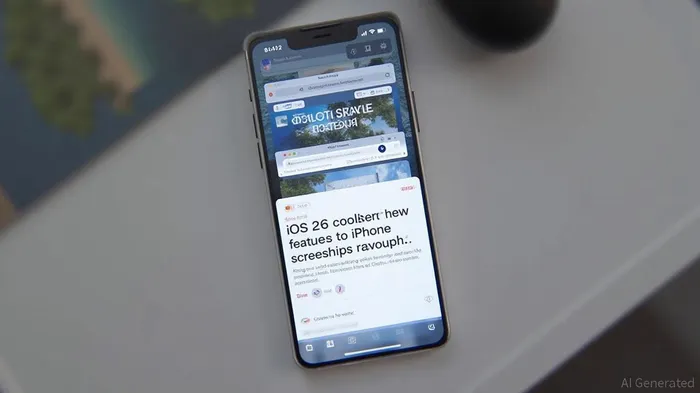
iOS 26 brings three new features to iPhone screenshots, including the ability to add events to calendars, perform image searches with Google and other apps, and ask ChatGPT questions about the image contents. These features will provide more reasons to take screenshots and make it easier to save, share, and interact with captured images.
Apple's latest iOS update, iOS 26, introduces three innovative features that significantly enhance the functionality of screenshots on iPhones. These new capabilities are designed to make it easier and more efficient to save, share, and interact with captured images. The updates include the ability to add events to calendars, perform image searches with Google and other apps, and ask ChatGPT questions about the image contents.One of the standout features is the "Add to Calendar" option. This new capability allows users to take a screenshot of an event and automatically add it to their calendar. The feature extracts the event details from the screenshot and auto-populates a new calendar entry, saving users the time and effort of manually adding the event. This is particularly useful for capturing event information from websites, emails, or other digital sources.
Another notable addition is the "Image Search" feature. With this capability, users can take a screenshot and perform a search for similar images using Google, Etsy, or other supported apps. This feature is especially useful for shopping, as users can highlight specific objects in the screenshot and search for similar products online. This integration of visual intelligence into screenshots makes it easier to find and purchase items, enhancing the overall user experience.
The third and perhaps most exciting feature is the "Ask ChatGPT" option. This feature allows users to ask questions about the contents of a screenshot using OpenAI's ChatGPT assistant. Users can type out any question they have about the image and receive a response from ChatGPT. Additionally, users can highlight specific parts of the screenshot to get a more precise response, eliminating the need to crop the image first. This feature is particularly useful for clarifying details or obtaining additional information about the captured content.
These new features in iOS 26 highlight Apple's commitment to refining the user experience through thoughtful and practical updates. By integrating visual intelligence into screenshots, Apple is providing users with more reasons to take screenshots and making it easier to save, share, and interact with captured images. These enhancements are likely to be well-received by users and could potentially drive further adoption of Apple's ecosystem.
References:
[1] https://www.geeky-gadgets.com/ios-26-hidden-features-2/
[2] https://9to5mac.com/2025/07/15/iphone-screenshots-are-getting-three-powerful-new-features-in-ios-26/
Stay ahead of the market.
Get curated U.S. market news, insights and key dates delivered to your inbox.
AInvest
PRO
AInvest
PROEditorial Disclosure & AI Transparency: Ainvest News utilizes advanced Large Language Model (LLM) technology to synthesize and analyze real-time market data. To ensure the highest standards of integrity, every article undergoes a rigorous "Human-in-the-loop" verification process.
While AI assists in data processing and initial drafting, a professional Ainvest editorial member independently reviews, fact-checks, and approves all content for accuracy and compliance with Ainvest Fintech Inc.’s editorial standards. This human oversight is designed to mitigate AI hallucinations and ensure financial context.
Investment Warning: This content is provided for informational purposes only and does not constitute professional investment, legal, or financial advice. Markets involve inherent risks. Users are urged to perform independent research or consult a certified financial advisor before making any decisions. Ainvest Fintech Inc. disclaims all liability for actions taken based on this information. Found an error?Report an Issue




Comments
No comments yet