
Microsoft Introduces 'My Apps' Tab in Xbox PC App for Simplified Access to Gaming Apps on Handhelds
ByAinvest
Friday, Aug 22, 2025 4:45 am ET1min read
MSFT--
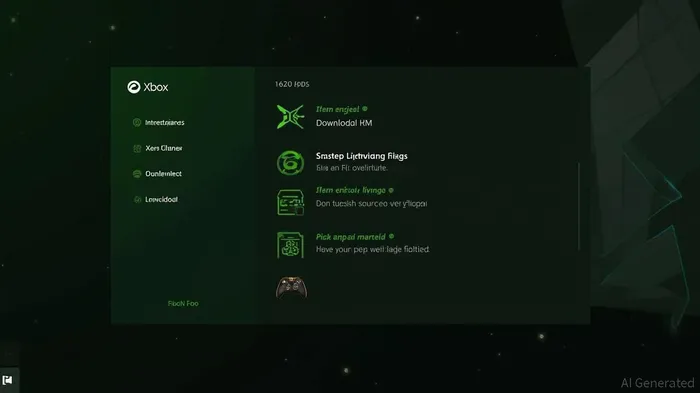
The "My apps" tab sits within the Xbox PC app's library and allows users to locate, view, and download third-party applications such as browsers, gaming utilities, and storefronts. By consolidating these apps into a single place, Microsoft supports its aggregated gaming library, making it more straightforward to discover and launch games from various sources.
Devin Dhaliwal, a product manager for Xbox experiences, explained that the feature is particularly useful for handheld users. "My apps enables players on an ROG Xbox Ally or other Windows 11 handhelds to more easily navigate between applications from the Xbox full screen experience," Dhaliwal said. This feature is optimized to minimize background activity and defer non-essential tasks, ensuring that more system resources are dedicated to gameplay.
The update is currently available for Xbox Insiders and includes a tailored selection of apps. Installed apps launch directly, while others can be downloaded and installed from within the Xbox UI itself. Early testing suggests there are still bugs, but Microsoft plans to expand support for additional apps over time.
The introduction of "My apps" aligns with Microsoft's broader strategy of merging the best bits of Windows and Xbox together, particularly for the Xbox Ally handheld gaming PCs. Microsoft aims to make the Xbox app the home of PC gaming, and this feature is a step towards that goal.
References:
[1] https://www.theverge.com/news/763994/microsoft-xbox-app-windows-third-party-stores-apps-utilities
[2] https://www.business-standard.com/technology/tech-news/what-is-new-xbox-app-feature-my-apps-on-windows-11-powered-asus-rog-xbox-ally-125082200575_1.html
[3] https://news.xbox.com/en-us/2025/08/21/available-for-xbox-insiders-get-to-the-games-faster-with-my-apps/
[4] https://www.moneycontrol.com/technology/microsoft-confirms-release-date-for-rog-xbox-ally-ally-x-handhelds-here-s-everything-you-need-to-know-article-13477764.html
Microsoft has introduced a new "My apps" tab in the Xbox PC app to simplify access to third-party apps on Windows 11 PCs and handheld gaming consoles. The feature consolidates gaming apps in one location, making it easier to find, download, and launch games across multiple platforms. It also optimizes system resources for smoother navigation and gameplay on handheld devices. The update is currently available for Xbox Insiders and plans to expand further.
Microsoft has introduced a new feature called "My apps" in the Xbox PC app, designed to simplify access to third-party applications on Windows 11 PCs and handheld gaming consoles. This feature consolidates gaming apps in one location, making it easier to find, download, and launch games across multiple platforms. It also optimizes system resources for smoother navigation and gameplay on handheld devices.The "My apps" tab sits within the Xbox PC app's library and allows users to locate, view, and download third-party applications such as browsers, gaming utilities, and storefronts. By consolidating these apps into a single place, Microsoft supports its aggregated gaming library, making it more straightforward to discover and launch games from various sources.
Devin Dhaliwal, a product manager for Xbox experiences, explained that the feature is particularly useful for handheld users. "My apps enables players on an ROG Xbox Ally or other Windows 11 handhelds to more easily navigate between applications from the Xbox full screen experience," Dhaliwal said. This feature is optimized to minimize background activity and defer non-essential tasks, ensuring that more system resources are dedicated to gameplay.
The update is currently available for Xbox Insiders and includes a tailored selection of apps. Installed apps launch directly, while others can be downloaded and installed from within the Xbox UI itself. Early testing suggests there are still bugs, but Microsoft plans to expand support for additional apps over time.
The introduction of "My apps" aligns with Microsoft's broader strategy of merging the best bits of Windows and Xbox together, particularly for the Xbox Ally handheld gaming PCs. Microsoft aims to make the Xbox app the home of PC gaming, and this feature is a step towards that goal.
References:
[1] https://www.theverge.com/news/763994/microsoft-xbox-app-windows-third-party-stores-apps-utilities
[2] https://www.business-standard.com/technology/tech-news/what-is-new-xbox-app-feature-my-apps-on-windows-11-powered-asus-rog-xbox-ally-125082200575_1.html
[3] https://news.xbox.com/en-us/2025/08/21/available-for-xbox-insiders-get-to-the-games-faster-with-my-apps/
[4] https://www.moneycontrol.com/technology/microsoft-confirms-release-date-for-rog-xbox-ally-ally-x-handhelds-here-s-everything-you-need-to-know-article-13477764.html
Stay ahead of the market.
Get curated U.S. market news, insights and key dates delivered to your inbox.
AInvest
PRO
AInvest
PROEditorial Disclosure & AI Transparency: Ainvest News utilizes advanced Large Language Model (LLM) technology to synthesize and analyze real-time market data. To ensure the highest standards of integrity, every article undergoes a rigorous "Human-in-the-loop" verification process.
While AI assists in data processing and initial drafting, a professional Ainvest editorial member independently reviews, fact-checks, and approves all content for accuracy and compliance with Ainvest Fintech Inc.’s editorial standards. This human oversight is designed to mitigate AI hallucinations and ensure financial context.
Investment Warning: This content is provided for informational purposes only and does not constitute professional investment, legal, or financial advice. Markets involve inherent risks. Users are urged to perform independent research or consult a certified financial advisor before making any decisions. Ainvest Fintech Inc. disclaims all liability for actions taken based on this information. Found an error?Report an Issue


ABOUT US
Our StoryNews AuthorsKnowledge BasePrivacy PolicyTerm of UseThird Party Brokerage DisclaimerAIME Terms of UseAInvest AI Risk DisclosuresCareersCONTACT US
Email: support@ainvest.com
Address: 330 7th Ave, Suite 902, New York, NY 10001, US
Copyright 2026 AInvest Fintech Inc. All rights reserved.


Comments
No comments yet