
MacOS Tahoe 26: Unlocking New Customization Options for Your Mac
ByAinvest
Thursday, Aug 7, 2025 8:16 pm ET1min read
AAPL--
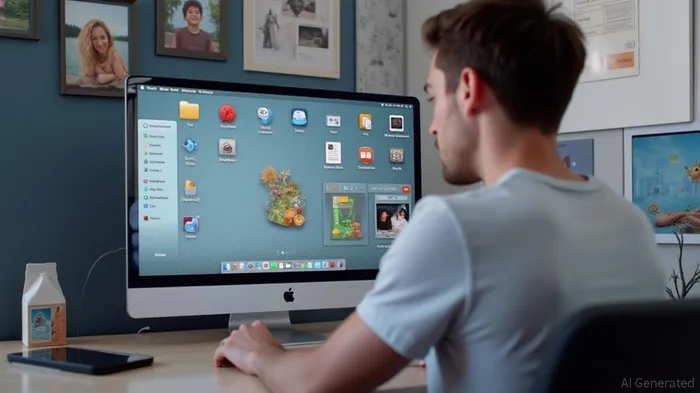
Icon tinting allows users to choose between default, dark, and clear tinting options, or customize with a chosen color. This feature not only adds a personal touch to the desktop but also improves accessibility by making icons more distinguishable. Additionally, the menu bar can be toggled to show a transparent or background design, providing users with the option to maximize screen real estate or maintain a more traditional look.
Folders can be customized with emojis or symbols and changed to a default color, making it easier for users to organize and identify their files. The ability to pin collections in Photos is another notable feature, enabling users to quickly access their favorite photos without having to navigate through multiple folders.
The Control Center layout can also be customized, allowing users to rearrange and add third-party app controls. This level of customization ensures that the Control Center is tailored to the user's needs, making it more efficient and user-friendly.
macOS Tahoe 26 is set to be released this fall, following a public beta testing phase that begins in July. The new version is expected to bring significant improvements in performance and security, as well as a more cohesive cross-platform experience with iOS and iPadOS 26.
References:
[1] https://www.macrumors.com/roundup/macos-26/
macOS Tahoe 26 introduces new customization options, including icon tinting, menu bar customization, and folder customization. Icon tinting allows users to choose between default, dark, and clear tinting options, or customize with a chosen color. The menu bar can be toggled to show a transparent or background design. Folders can be customized with emojis or symbols and changed to a default color. Additionally, users can pin collections in Photos, customize Control Center layout, and more.
macOS Tahoe 26, the latest iteration of Apple's operating system for Mac computers, introduces a suite of new customization options aimed at enhancing user experience. Among the key features are icon tinting, menu bar customization, and folder customization, all designed to offer users more control over their desktop environment.Icon tinting allows users to choose between default, dark, and clear tinting options, or customize with a chosen color. This feature not only adds a personal touch to the desktop but also improves accessibility by making icons more distinguishable. Additionally, the menu bar can be toggled to show a transparent or background design, providing users with the option to maximize screen real estate or maintain a more traditional look.
Folders can be customized with emojis or symbols and changed to a default color, making it easier for users to organize and identify their files. The ability to pin collections in Photos is another notable feature, enabling users to quickly access their favorite photos without having to navigate through multiple folders.
The Control Center layout can also be customized, allowing users to rearrange and add third-party app controls. This level of customization ensures that the Control Center is tailored to the user's needs, making it more efficient and user-friendly.
macOS Tahoe 26 is set to be released this fall, following a public beta testing phase that begins in July. The new version is expected to bring significant improvements in performance and security, as well as a more cohesive cross-platform experience with iOS and iPadOS 26.
References:
[1] https://www.macrumors.com/roundup/macos-26/
Stay ahead of the market.
Get curated U.S. market news, insights and key dates delivered to your inbox.
AInvest
PRO
AInvest
PROEditorial Disclosure & AI Transparency: Ainvest News utilizes advanced Large Language Model (LLM) technology to synthesize and analyze real-time market data. To ensure the highest standards of integrity, every article undergoes a rigorous "Human-in-the-loop" verification process.
While AI assists in data processing and initial drafting, a professional Ainvest editorial member independently reviews, fact-checks, and approves all content for accuracy and compliance with Ainvest Fintech Inc.’s editorial standards. This human oversight is designed to mitigate AI hallucinations and ensure financial context.
Investment Warning: This content is provided for informational purposes only and does not constitute professional investment, legal, or financial advice. Markets involve inherent risks. Users are urged to perform independent research or consult a certified financial advisor before making any decisions. Ainvest Fintech Inc. disclaims all liability for actions taken based on this information. Found an error?Report an Issue




Comments
No comments yet