
iOS 26.1 Beta 2 Released: New Features and Reversals
ByAinvest
Monday, Oct 6, 2025 4:13 pm ET2min read
AAPL--
One of the standout features in iOS 26.1 beta 2 is the introduction of a "Slide to Stop" gesture for dismissing alarms and timers. This feature, reminiscent of the original "Slide to Unlock" gesture from the 2007 iPhone, allows users to slide to stop the alarm instead of tapping a button. This change aims to reduce the likelihood of accidentally hitting the "Snooze" button when picking up the phone in the morning [2].
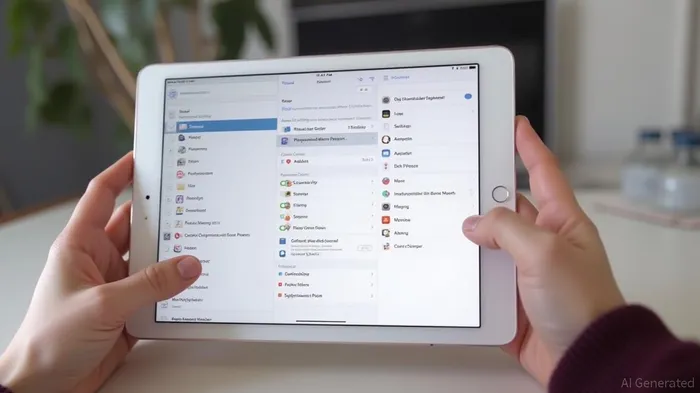
Additionally, Apple has brought back the Slide Over multitasking feature on iPads. This feature, which was removed in iPadOS 26, has been reinstated in iPadOS 26.1 beta 2. Slide Over allows users to view and interact with a second app while using another app in a split-screen or windowed multitasking mode. The feature is now accessible from the top left corner of an app window [3].
Another notable change is the ability to adjust input gain for external microphones in the Control Center. This feature is particularly useful for users who rely on external microphones for recording or streaming. The UI enhancements also include left-aligned app folder titles and headers in the Settings app, making navigation more intuitive [3].
Apple has also reversed some changes from beta 1. For instance, the use of full-width colors for calendar events has been reverted, and the integration of the Downloads menu in Safari has been removed. These reversals suggest that Apple is iterating on the user feedback and making adjustments to improve the overall user experience [3].
Performance enhancements are another key focus of iOS 26.1 beta 2. Early benchmarks indicate noticeable improvements in multitasking and app responsiveness, particularly on newer devices. However, battery life remains a concern, with users reporting an average usage time of approximately 6.5 hours on a device with 88% battery health. Apple is expected to address battery optimization in subsequent updates [1].
In conclusion, iOS 26.1 beta 2 introduces several notable enhancements and feature reversals that aim to improve usability and performance. The "Slide to Stop" gesture, the return of Slide Over multitasking, and the ability to adjust input gain for external microphones are significant additions. However, battery life remains an area of concern that Apple is likely to address in future updates.
iOS 26.1 beta 2 adds new features such as a 'Slide to stop' gesture for dismissing alarms and timers, the return of Slide Over multitasking on iPads, and the ability to adjust input gain for external microphones in the Control Center. UI enhancements include left-aligned app folder titles and headers in the Settings app. Apple has also reversed some changes from beta 1, including the use of full-width colors for calendar events and the integration of the Downloads menu in Safari.
Apple has released iOS 26.1 beta 2, a significant update that brings several new features and design improvements. This beta version provides a sneak peek into the upcoming iOS 26.1 release, which is expected to be available to all users by late October or early November. The new features and enhancements aim to improve usability, performance, and user experience across Apple's ecosystem.One of the standout features in iOS 26.1 beta 2 is the introduction of a "Slide to Stop" gesture for dismissing alarms and timers. This feature, reminiscent of the original "Slide to Unlock" gesture from the 2007 iPhone, allows users to slide to stop the alarm instead of tapping a button. This change aims to reduce the likelihood of accidentally hitting the "Snooze" button when picking up the phone in the morning [2].
Additionally, Apple has brought back the Slide Over multitasking feature on iPads. This feature, which was removed in iPadOS 26, has been reinstated in iPadOS 26.1 beta 2. Slide Over allows users to view and interact with a second app while using another app in a split-screen or windowed multitasking mode. The feature is now accessible from the top left corner of an app window [3].
Another notable change is the ability to adjust input gain for external microphones in the Control Center. This feature is particularly useful for users who rely on external microphones for recording or streaming. The UI enhancements also include left-aligned app folder titles and headers in the Settings app, making navigation more intuitive [3].
Apple has also reversed some changes from beta 1. For instance, the use of full-width colors for calendar events has been reverted, and the integration of the Downloads menu in Safari has been removed. These reversals suggest that Apple is iterating on the user feedback and making adjustments to improve the overall user experience [3].
Performance enhancements are another key focus of iOS 26.1 beta 2. Early benchmarks indicate noticeable improvements in multitasking and app responsiveness, particularly on newer devices. However, battery life remains a concern, with users reporting an average usage time of approximately 6.5 hours on a device with 88% battery health. Apple is expected to address battery optimization in subsequent updates [1].
In conclusion, iOS 26.1 beta 2 introduces several notable enhancements and feature reversals that aim to improve usability and performance. The "Slide to Stop" gesture, the return of Slide Over multitasking, and the ability to adjust input gain for external microphones are significant additions. However, battery life remains an area of concern that Apple is likely to address in future updates.
Stay ahead of the market.
Get curated U.S. market news, insights and key dates delivered to your inbox.
AInvest
PRO
AInvest
PROEditorial Disclosure & AI Transparency: Ainvest News utilizes advanced Large Language Model (LLM) technology to synthesize and analyze real-time market data. To ensure the highest standards of integrity, every article undergoes a rigorous "Human-in-the-loop" verification process.
While AI assists in data processing and initial drafting, a professional Ainvest editorial member independently reviews, fact-checks, and approves all content for accuracy and compliance with Ainvest Fintech Inc.’s editorial standards. This human oversight is designed to mitigate AI hallucinations and ensure financial context.
Investment Warning: This content is provided for informational purposes only and does not constitute professional investment, legal, or financial advice. Markets involve inherent risks. Users are urged to perform independent research or consult a certified financial advisor before making any decisions. Ainvest Fintech Inc. disclaims all liability for actions taken based on this information. Found an error?Report an Issue




Comments
No comments yet