
Google Rolls Out AI Mode Shortcut for Search Widget on Android
ByAinvest
Sunday, Jul 27, 2025 1:09 pm ET1min read
GOOGL--
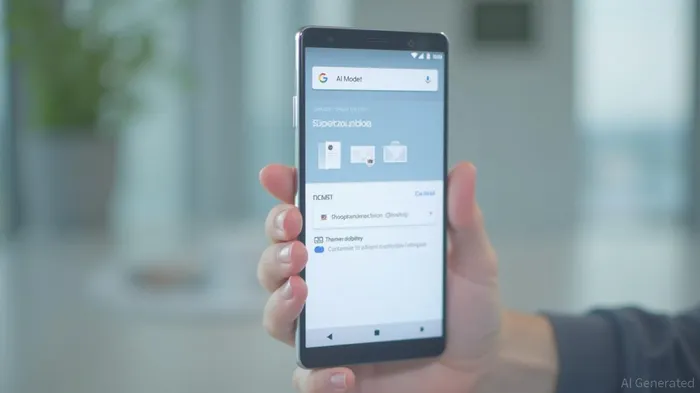
The AI Mode shortcut allows users to quickly access the fullscreen AI Mode screen and enter a prompt directly from their homescreen. This enhancement is particularly notable as it simplifies the process of interacting with AI Mode, which has been a core focus of Google's search experience.
To set up the AI Mode widget, users need to long-press the widget on their homescreen and navigate to the Customize screen. Here, they can adjust theme and transparency options to personalize their widget experience. The shortcut for AI Mode appears as the second option in the grid after "None," making it easily accessible.
For users who do not own a Pixel device, the "Google" widget remains the quickest way to launch AI Mode from their homescreen. This inclusivity ensures that the benefits of AI Mode are available to a broader audience.
The rollout of the AI Mode widget shortcut comes amidst a series of updates and enhancements to Google's AI Mode, which has seen significant growth and adoption since its launch. The feature has been integrated into various aspects of Google's ecosystem, including the Google Search bar, Pixel Launcher, and even Google Doodles.
As AI continues to be a central focus of Google's search experience, these updates signify the company's commitment to innovating and improving the user experience. The AI Mode shortcut is part of a broader strategy to make advanced search functionalities more accessible and user-friendly.
References:
1. [Google AI Mode: New Tab Page Adding AI Mode Shortcut](https://9to5google.com/guides/google-ai-mode/)
2. [Google AI Mode: Circle to Search Adding AI Mode and Gaming Help on Android](https://9to5google.com/2025/07/27/google-search-widget-ai-mode/)
Google has rolled out an AI Mode shortcut for the Search widget on Android devices. The shortcut lets users quickly access the fullscreen AI Mode screen and enter a prompt. The feature was first introduced in April for some users of the Google app beta and has now been widely rolled out for both beta and stable users on Google app 16.28. The AI Mode widget shortcut appears in the Google app settings, and users can customize the widget with theme and transparency options.
Google has taken a significant step in enhancing user experience by rolling out an AI Mode shortcut for the Search widget on Android devices. This feature, initially introduced in April for some users of the Google app beta, has now been widely extended to both beta and stable users on Google app 16.28.The AI Mode shortcut allows users to quickly access the fullscreen AI Mode screen and enter a prompt directly from their homescreen. This enhancement is particularly notable as it simplifies the process of interacting with AI Mode, which has been a core focus of Google's search experience.
To set up the AI Mode widget, users need to long-press the widget on their homescreen and navigate to the Customize screen. Here, they can adjust theme and transparency options to personalize their widget experience. The shortcut for AI Mode appears as the second option in the grid after "None," making it easily accessible.
For users who do not own a Pixel device, the "Google" widget remains the quickest way to launch AI Mode from their homescreen. This inclusivity ensures that the benefits of AI Mode are available to a broader audience.
The rollout of the AI Mode widget shortcut comes amidst a series of updates and enhancements to Google's AI Mode, which has seen significant growth and adoption since its launch. The feature has been integrated into various aspects of Google's ecosystem, including the Google Search bar, Pixel Launcher, and even Google Doodles.
As AI continues to be a central focus of Google's search experience, these updates signify the company's commitment to innovating and improving the user experience. The AI Mode shortcut is part of a broader strategy to make advanced search functionalities more accessible and user-friendly.
References:
1. [Google AI Mode: New Tab Page Adding AI Mode Shortcut](https://9to5google.com/guides/google-ai-mode/)
2. [Google AI Mode: Circle to Search Adding AI Mode and Gaming Help on Android](https://9to5google.com/2025/07/27/google-search-widget-ai-mode/)
Stay ahead of the market.
Get curated U.S. market news, insights and key dates delivered to your inbox.
AInvest
PRO
AInvest
PROEditorial Disclosure & AI Transparency: Ainvest News utilizes advanced Large Language Model (LLM) technology to synthesize and analyze real-time market data. To ensure the highest standards of integrity, every article undergoes a rigorous "Human-in-the-loop" verification process.
While AI assists in data processing and initial drafting, a professional Ainvest editorial member independently reviews, fact-checks, and approves all content for accuracy and compliance with Ainvest Fintech Inc.’s editorial standards. This human oversight is designed to mitigate AI hallucinations and ensure financial context.
Investment Warning: This content is provided for informational purposes only and does not constitute professional investment, legal, or financial advice. Markets involve inherent risks. Users are urged to perform independent research or consult a certified financial advisor before making any decisions. Ainvest Fintech Inc. disclaims all liability for actions taken based on this information. Found an error?Report an Issue




Comments
No comments yet