
Google Messages Rolls Out RCS-Enabled Contacts Badge in "New Chat" Page
ByAinvest
Wednesday, May 28, 2025 10:30 pm ET1min read
GOOG--
Google Messages is rolling out a significant update to its "New chat" page, designed to make it easier for users to identify which contacts have RCS (Rich Communication Services) enabled. This new feature, which began rolling out to beta users on May 28, 2025, includes a badge and Dynamic Color theming to distinguish RCS contacts from those using SMS/MMS.
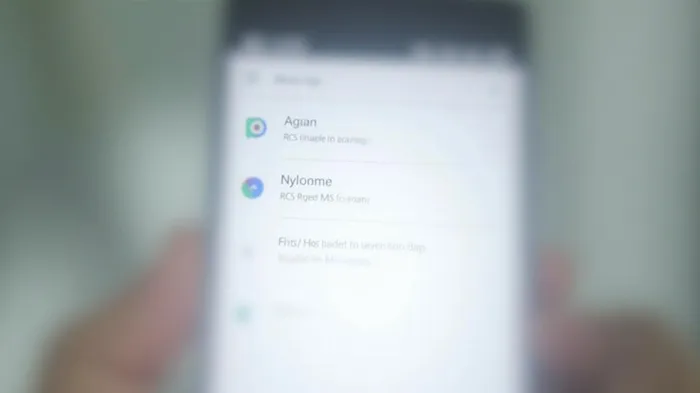
Previously, users had to tap on a contact's number to see if it was an RCS message or a standard text message. The new update eliminates this step, allowing users to quickly see if a contact supports RCS. The "New chat" page now displays a list of all contacts, with RCS-enabled contacts highlighted by a badge on the right-hand side. This badge is further emphasized with Dynamic Color theming, making it easier to distinguish RCS contacts from those using SMS/MMS, which are displayed in black or white text depending on the system theme.
The change is part of a broader effort to improve the user experience and encourage the adoption of RCS, which offers enhanced messaging capabilities such as read receipts, typing indicators, and media sharing. By highlighting RCS contacts, Google Messages aims to make it simpler for users to take a "straw poll" of RCS adoption among their contacts.
This update is part of the ongoing development of Google Messages, which has been actively rolling out new features to beta users. The latest version, 20250527_01_RC00, includes this new "New chat" page functionality.
References:
[1] https://www.reddit.com/r/GoogleMessages/comments/1kxui7v/rcs_tag_is_showing_besides_the_rcs_enabled_phone/
[2] https://9to5google.com/2025/05/28/google-messages-new-chat-rcs/
RCS--
Google Messages is updating its "New chat" page to show which contacts have RCS enabled. A badge and Dynamic Color theming will highlight RCS contacts, while SMS/MMS conversations will have black or white text. The change saves users a step and lets them easily check RCS adoption in their contact list. The update has started rolling out to beta users.
Title: Google Messages Enhances User Experience with RCS HighlightingGoogle Messages is rolling out a significant update to its "New chat" page, designed to make it easier for users to identify which contacts have RCS (Rich Communication Services) enabled. This new feature, which began rolling out to beta users on May 28, 2025, includes a badge and Dynamic Color theming to distinguish RCS contacts from those using SMS/MMS.
Previously, users had to tap on a contact's number to see if it was an RCS message or a standard text message. The new update eliminates this step, allowing users to quickly see if a contact supports RCS. The "New chat" page now displays a list of all contacts, with RCS-enabled contacts highlighted by a badge on the right-hand side. This badge is further emphasized with Dynamic Color theming, making it easier to distinguish RCS contacts from those using SMS/MMS, which are displayed in black or white text depending on the system theme.
The change is part of a broader effort to improve the user experience and encourage the adoption of RCS, which offers enhanced messaging capabilities such as read receipts, typing indicators, and media sharing. By highlighting RCS contacts, Google Messages aims to make it simpler for users to take a "straw poll" of RCS adoption among their contacts.
This update is part of the ongoing development of Google Messages, which has been actively rolling out new features to beta users. The latest version, 20250527_01_RC00, includes this new "New chat" page functionality.
References:
[1] https://www.reddit.com/r/GoogleMessages/comments/1kxui7v/rcs_tag_is_showing_besides_the_rcs_enabled_phone/
[2] https://9to5google.com/2025/05/28/google-messages-new-chat-rcs/
Stay ahead of the market.
Get curated U.S. market news, insights and key dates delivered to your inbox.
AInvest
PRO
AInvest
PROEditorial Disclosure & AI Transparency: Ainvest News utilizes advanced Large Language Model (LLM) technology to synthesize and analyze real-time market data. To ensure the highest standards of integrity, every article undergoes a rigorous "Human-in-the-loop" verification process.
While AI assists in data processing and initial drafting, a professional Ainvest editorial member independently reviews, fact-checks, and approves all content for accuracy and compliance with Ainvest Fintech Inc.’s editorial standards. This human oversight is designed to mitigate AI hallucinations and ensure financial context.
Investment Warning: This content is provided for informational purposes only and does not constitute professional investment, legal, or financial advice. Markets involve inherent risks. Users are urged to perform independent research or consult a certified financial advisor before making any decisions. Ainvest Fintech Inc. disclaims all liability for actions taken based on this information. Found an error?Report an Issue




Comments
No comments yet