
ChatGPT Integration with SAP Analytics Cloud: Enhancing Data Analytics and Planning with AI-Powered Conversational Capabilities
ByAinvest
Monday, Aug 4, 2025 1:40 am ET2min read
PARA--
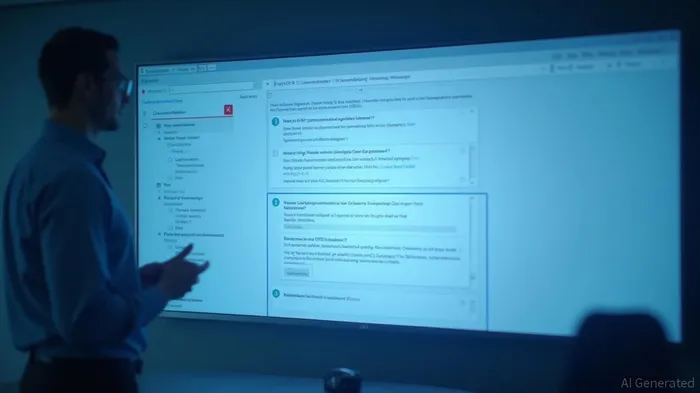
The ChatGPT Custom Widget offers several key features and capabilities. It is 100% free to use, requiring only an OpenAI API key. The widget supports multiple AI models, including GPT-3.5-turbo, GPT-4, and GPT-4-turbo, and allows for customization through advanced parameters such as temperature settings, max tokens, and response choices. Users can also customize the appearance of the widget to match their brand's aesthetic.
Installation is straightforward. Users need to download the ChatGPT.json file from the official GitHub repository or the provided link. Once downloaded, they can access SAC Custom Widgets in their SAC portal, upload the file, and select "ChatGPT Widget." The widget can then be added to SAC stories and analytic applications, enabling real-time responses and conversation exports.
To configure and use the widget, users must obtain an OpenAI API key. This key can be generated through the OpenAI platform by signing up, logging in, and creating a new key. Once the API key is obtained, it can be added to the widget's API settings within the SAC Designer Panel. Users can choose from different AI models, set the temperature, max tokens, and system messages to control the AI's behavior and context.
The widget supports advanced use cases, such as data exploration, report generation, anomaly detection, and KPI analysis. For example, users can ask for sales trends, generate executive summaries, identify unusual patterns, or get explanations for metric changes. Additionally, the widget can be used in industry-specific applications like customer service, sales and marketing, finance, operations, and HR analytics.
Security considerations are paramount. Users should protect their API keys, be cautious with sensitive business data, monitor API usage to avoid quota limits, restrict widget access to authorized users, and keep the widget updated for security patches.
In conclusion, the ChatGPT Custom Widget for SAP Analytics Cloud is a significant enhancement that brings AI-driven conversational intelligence to analytics workflows. With easy installation, flexible customization, and powerful OpenAI integration, this widget empowers users to interact naturally with their data and unlock deeper insights.
References:
[1] https://community.sap.com/t5/technology-blog-posts-by-members/chatgpt-meets-sap-analytics-cloud-a-developer-s-guide-to-chatgpt-custom/ba-p/14149503
SAP--
SAP Analytics Cloud (SAC) has been enhanced with a ChatGPT Custom Widget, allowing users to interact with data and analytics through natural language queries. The widget features a modern chat interface, multiple AI models, and advanced parameters for customization. To install, download the ChatGPT.json file, access SAC Custom Widgets, upload the file, and select "ChatGPT Widget." Configuration and usage involve obtaining an OpenAI API key, adding the widget to a story, configuring API settings, customizing appearance, and testing and deploying. The widget enables advanced use cases such as data exploration, report generation, anomaly detection, and KPI analysis.
SAP Analytics Cloud (SAC) has recently been augmented with a ChatGPT Custom Widget, significantly transforming the user experience by allowing natural language interactions with data and analytics. This integration leverages the power of OpenAI's ChatGPT, providing a modern and intuitive interface for users.The ChatGPT Custom Widget offers several key features and capabilities. It is 100% free to use, requiring only an OpenAI API key. The widget supports multiple AI models, including GPT-3.5-turbo, GPT-4, and GPT-4-turbo, and allows for customization through advanced parameters such as temperature settings, max tokens, and response choices. Users can also customize the appearance of the widget to match their brand's aesthetic.
Installation is straightforward. Users need to download the ChatGPT.json file from the official GitHub repository or the provided link. Once downloaded, they can access SAC Custom Widgets in their SAC portal, upload the file, and select "ChatGPT Widget." The widget can then be added to SAC stories and analytic applications, enabling real-time responses and conversation exports.
To configure and use the widget, users must obtain an OpenAI API key. This key can be generated through the OpenAI platform by signing up, logging in, and creating a new key. Once the API key is obtained, it can be added to the widget's API settings within the SAC Designer Panel. Users can choose from different AI models, set the temperature, max tokens, and system messages to control the AI's behavior and context.
The widget supports advanced use cases, such as data exploration, report generation, anomaly detection, and KPI analysis. For example, users can ask for sales trends, generate executive summaries, identify unusual patterns, or get explanations for metric changes. Additionally, the widget can be used in industry-specific applications like customer service, sales and marketing, finance, operations, and HR analytics.
Security considerations are paramount. Users should protect their API keys, be cautious with sensitive business data, monitor API usage to avoid quota limits, restrict widget access to authorized users, and keep the widget updated for security patches.
In conclusion, the ChatGPT Custom Widget for SAP Analytics Cloud is a significant enhancement that brings AI-driven conversational intelligence to analytics workflows. With easy installation, flexible customization, and powerful OpenAI integration, this widget empowers users to interact naturally with their data and unlock deeper insights.
References:
[1] https://community.sap.com/t5/technology-blog-posts-by-members/chatgpt-meets-sap-analytics-cloud-a-developer-s-guide-to-chatgpt-custom/ba-p/14149503
Stay ahead of the market.
Get curated U.S. market news, insights and key dates delivered to your inbox.
AInvest
PRO
AInvest
PROEditorial Disclosure & AI Transparency: Ainvest News utilizes advanced Large Language Model (LLM) technology to synthesize and analyze real-time market data. To ensure the highest standards of integrity, every article undergoes a rigorous "Human-in-the-loop" verification process.
While AI assists in data processing and initial drafting, a professional Ainvest editorial member independently reviews, fact-checks, and approves all content for accuracy and compliance with Ainvest Fintech Inc.’s editorial standards. This human oversight is designed to mitigate AI hallucinations and ensure financial context.
Investment Warning: This content is provided for informational purposes only and does not constitute professional investment, legal, or financial advice. Markets involve inherent risks. Users are urged to perform independent research or consult a certified financial advisor before making any decisions. Ainvest Fintech Inc. disclaims all liability for actions taken based on this information. Found an error?Report an Issue




Comments
No comments yet