
Apple's Revamped Spotlight Offers a Simpler Way to Get Siri-like Features
ByAinvest
Monday, Jun 16, 2025 3:11 pm ET1min read
AAPL--
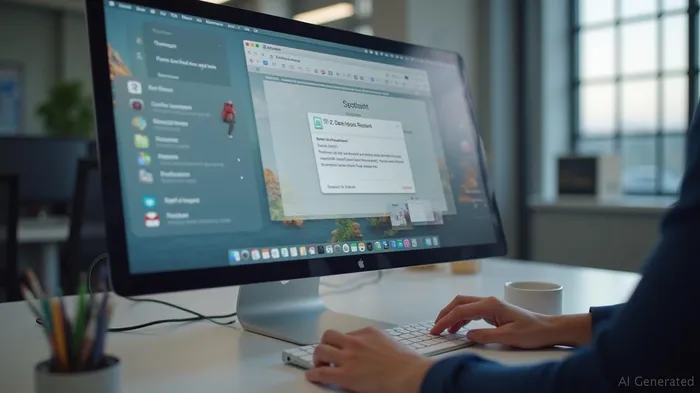
The new Spotlight on macOS 26 can perform a wide array of tasks, such as adding events to calendars, playing podcasts, and running Shortcuts. This enhancement is part of Apple's broader strategy to streamline both the visual UI and feature sets across its devices, while making more apps and features available on them [1]. This move aligns with Apple's commitment to improving the user experience and increasing the efficiency of its ecosystem.
One of the standout features of the updated Spotlight is its ability to work with Shortcuts, a feature that allows users to automate complex tasks. For instance, users can search for a specific function within an app and execute it directly from Spotlight, without having to navigate through multiple menus. This integration is powered by Apple Intelligence, which provides a more robust and personalized experience [1].
The revamp of Spotlight on macOS 26 is part of Apple's ongoing efforts to integrate its devices more seamlessly. This includes the introduction of the Phone app on Mac, which allows for a more streamlined user experience between iPhones and computers. The Phone app on Mac includes features like Hold Assist and Call Screening, as well as live activities from the iPhone that can be mirrored on the Mac [1].
In summary, the revamp of Spotlight on macOS 26 represents a significant step forward in Apple's quest to enhance user experience and productivity. By integrating third-party app functionalities and automating complex tasks, Spotlight on macOS 26 offers a powerful tool for users to interact with their devices more efficiently.
References:
[1] https://www.zdnet.com/article/your-macbook-is-getting-a-big-upgrade-5-best-features-i-cant-wait-to-use-in-macos-26/
[2] https://www.financialexpress.com/life/technology-apple-wwdc-2025-roundup-ios-26-ipados-26-macos-tahoe-26-watchos-26-new-apple-intelligence-ai-features-and-more-3874192/
RAY--
Apple has revamped Spotlight on macOS 26, allowing it to perform tasks within apps without opening them. This feature is similar to Siri's functionality and integrates features from third-party apps like Raycast and Alfred. The updated Spotlight offers a simpler way to get the same functionality as Apple's delayed Siri update. The new Spotlight can perform tasks like adding events to calendars, playing podcasts, and running Shortcuts.
Apple has significantly revamped the Spotlight feature on macOS 26, codenamed "Tahoe," to enhance productivity and user experience. The updated Spotlight is designed to perform tasks within apps without the need to open them, a functionality reminiscent of Siri's capabilities. This feature is particularly notable for its integration with third-party apps like Raycast and Alfred, providing a simpler and more efficient way to access various functionalities [1].The new Spotlight on macOS 26 can perform a wide array of tasks, such as adding events to calendars, playing podcasts, and running Shortcuts. This enhancement is part of Apple's broader strategy to streamline both the visual UI and feature sets across its devices, while making more apps and features available on them [1]. This move aligns with Apple's commitment to improving the user experience and increasing the efficiency of its ecosystem.
One of the standout features of the updated Spotlight is its ability to work with Shortcuts, a feature that allows users to automate complex tasks. For instance, users can search for a specific function within an app and execute it directly from Spotlight, without having to navigate through multiple menus. This integration is powered by Apple Intelligence, which provides a more robust and personalized experience [1].
The revamp of Spotlight on macOS 26 is part of Apple's ongoing efforts to integrate its devices more seamlessly. This includes the introduction of the Phone app on Mac, which allows for a more streamlined user experience between iPhones and computers. The Phone app on Mac includes features like Hold Assist and Call Screening, as well as live activities from the iPhone that can be mirrored on the Mac [1].
In summary, the revamp of Spotlight on macOS 26 represents a significant step forward in Apple's quest to enhance user experience and productivity. By integrating third-party app functionalities and automating complex tasks, Spotlight on macOS 26 offers a powerful tool for users to interact with their devices more efficiently.
References:
[1] https://www.zdnet.com/article/your-macbook-is-getting-a-big-upgrade-5-best-features-i-cant-wait-to-use-in-macos-26/
[2] https://www.financialexpress.com/life/technology-apple-wwdc-2025-roundup-ios-26-ipados-26-macos-tahoe-26-watchos-26-new-apple-intelligence-ai-features-and-more-3874192/
Stay ahead of the market.
Get curated U.S. market news, insights and key dates delivered to your inbox.
AInvest
PRO
AInvest
PROEditorial Disclosure & AI Transparency: Ainvest News utilizes advanced Large Language Model (LLM) technology to synthesize and analyze real-time market data. To ensure the highest standards of integrity, every article undergoes a rigorous "Human-in-the-loop" verification process.
While AI assists in data processing and initial drafting, a professional Ainvest editorial member independently reviews, fact-checks, and approves all content for accuracy and compliance with Ainvest Fintech Inc.’s editorial standards. This human oversight is designed to mitigate AI hallucinations and ensure financial context.
Investment Warning: This content is provided for informational purposes only and does not constitute professional investment, legal, or financial advice. Markets involve inherent risks. Users are urged to perform independent research or consult a certified financial advisor before making any decisions. Ainvest Fintech Inc. disclaims all liability for actions taken based on this information. Found an error?Report an Issue




Comments
No comments yet