How to cancel cycle billing for my subscriptions

AInvest Product TeamMon, Jan 26, 2026 ET

How to cancel cycle billing for my subscriptions

In order to cancel your subscription, please go to the subscription page of Google Play Apple Store or Stripe, where you originally purchased your subscription from the application. From there, you should be able to cancel your subscription.
https://cdn.ainvest.com/video/operational-activities/Analysis-of-Billing-Issues-for-Subscription2025-7-17.mp4

Unsubscribe on Google Play

1. Make sure that you are logged into the Google Account associated with the subscription;

2. Enter your Google account settings. Look for in Payments & Subscriptions section;

3. Manage your subscriptinos: Locate the subscription you want to pause or cancel in the subscription list.

Unsubscribe on iOS App Store

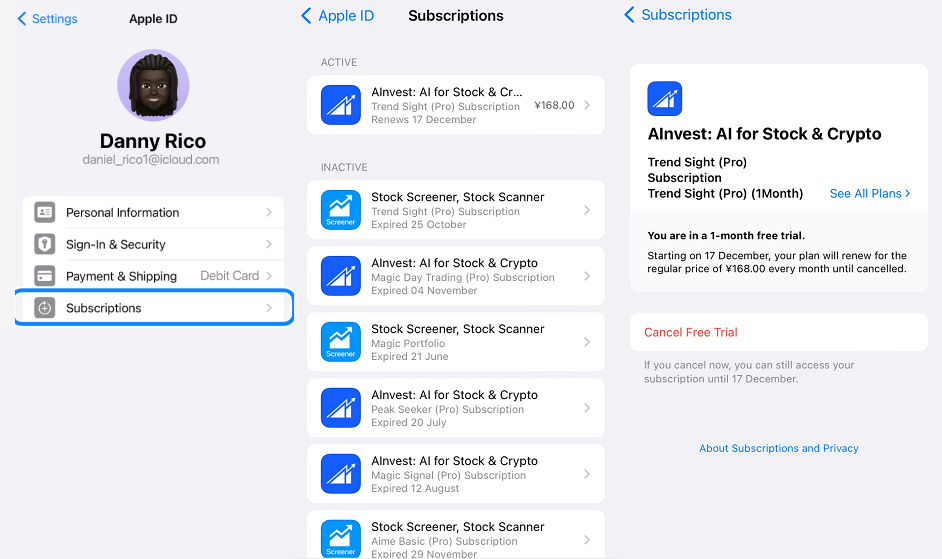
1.Open the Settings app.

2.Tap your name.

3.Tap Subscriptions.

4.Tap Cancel Subscription. You might need to scroll down to find the Cancel Subscription button. If there is no Cancel button or you see an expiration message in red text, the subscription is already canceled.

Unsubscribe on Web

1.Please confirm that you have logged in and your current account has the relevant permissions.

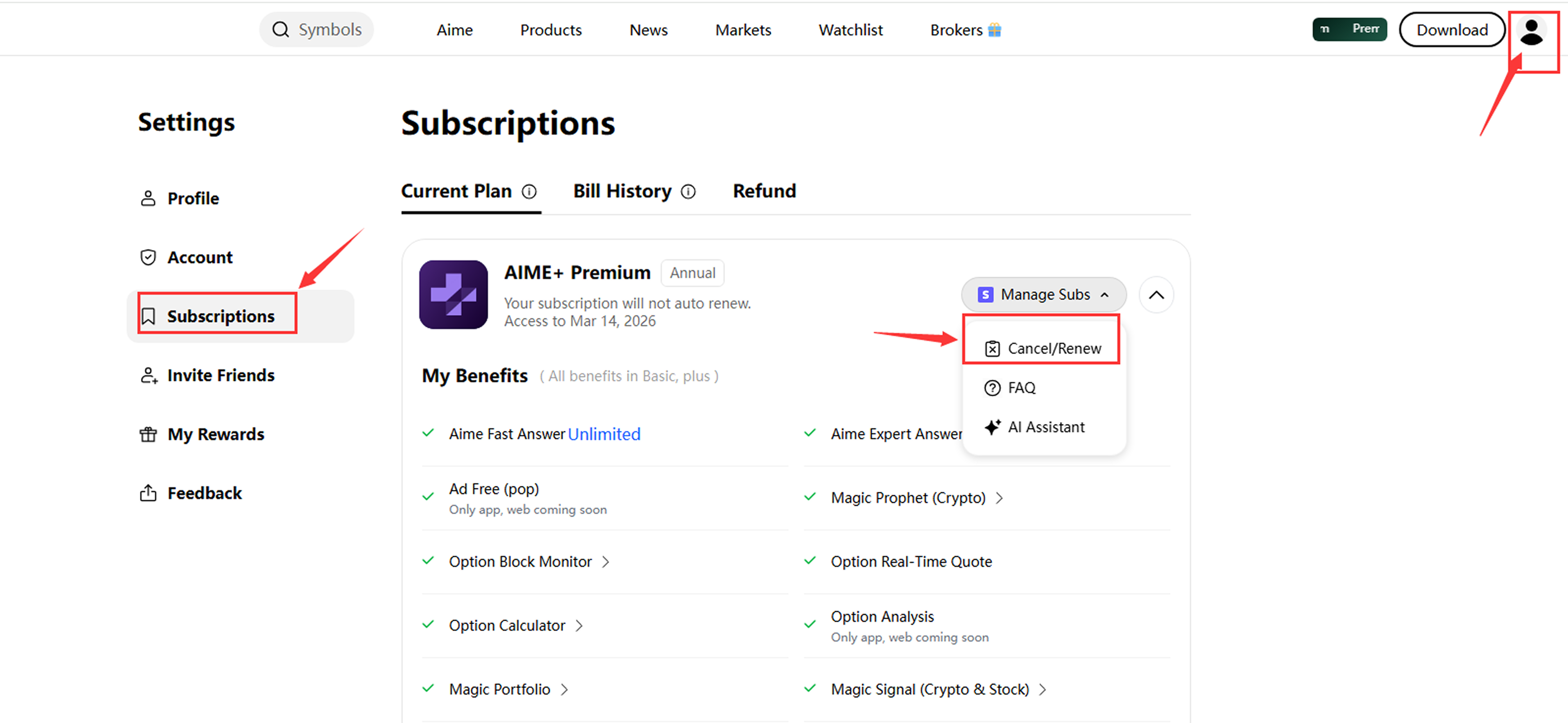
2.You may click the avatar icon at the top right of the webpage to enter your personal center and find the Subscription section.

3.Hover your mouse over Manage Subs on the right side, then find Cancel/Renew in the drop-down menu to unsubscribe here.