
The Ainvest options chain includes a set of filters and sort controls that let you narrow the display to exactly the contracts you need. This article covers every available filter on web and mobile, and explains when to use each one.
Where to Find It
Web: Navigate to https://www.ainvest.com/options/{TICKER}/ and select the Option Chain tab. For ETFs, use https://www.ainvest.com/etfs/{TICKER}/options/. Filters appear above the chain.
Mobile: Open the ticker page, tap the Options tab, then select the Chain sub-tab. Filters are built into the top of the screen.
Web Filters
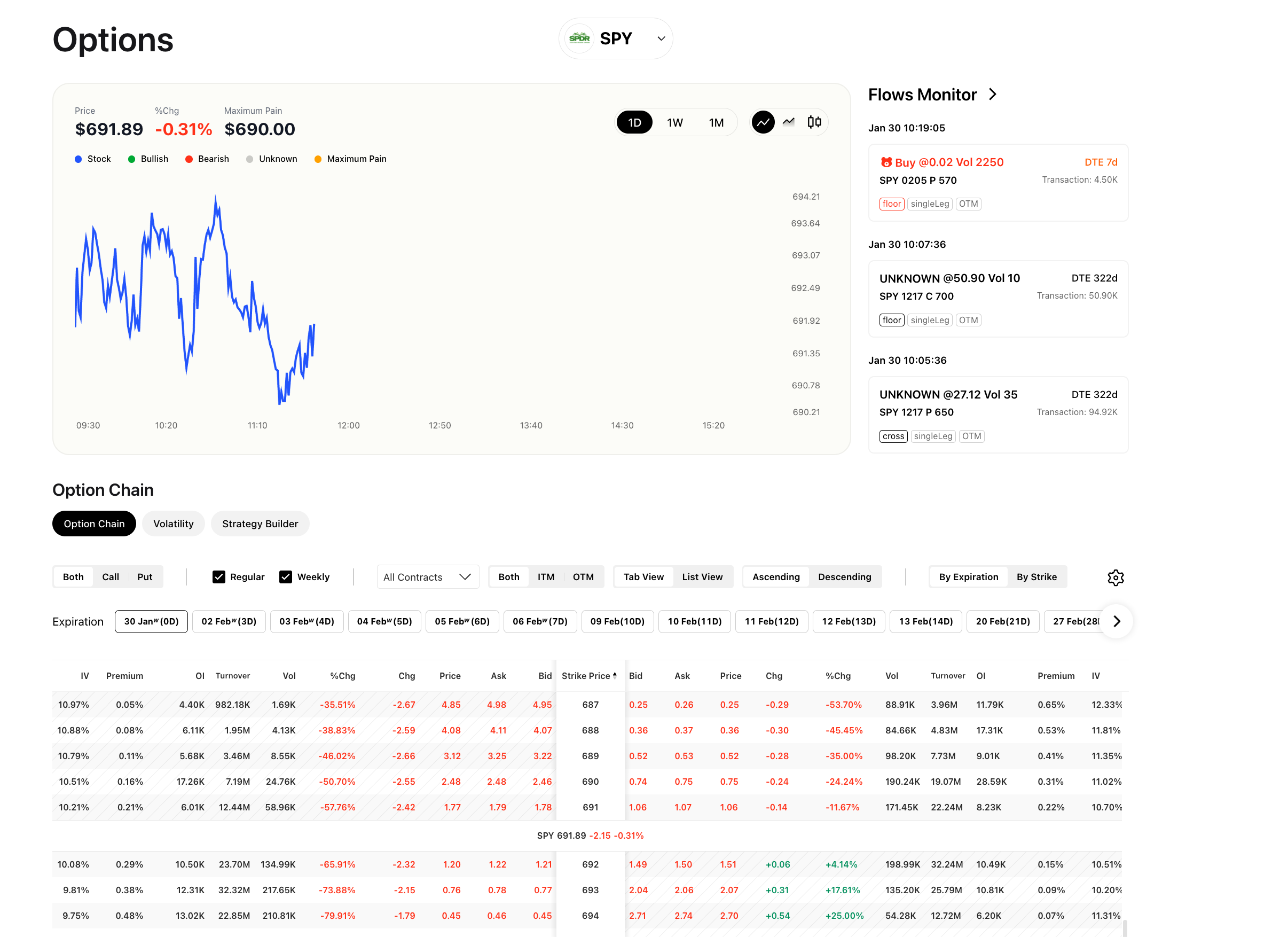
Web option chain filter bar showing Both/Call/Put toggle, Regular/Weekly selector, All Contracts, Both/ITM/OTM moneyness filter, Tab View/List View toggle, Ascending/Descending sort, and By Expiration/By Strike organization
The web interface provides the following filter controls:
Call / Put Toggle
Switch between three modes:
- Both: Display calls and puts side by side (default).
- Call: Show only call contracts.
- Put: Show only put contracts.
Contract Type
- Regular: Monthly options that expire on the third Friday of each month.
- Weekly: Options that expire every Friday (excluding the monthly expiration Friday). Weekly contracts are also referred to as "weeklys."
Moneyness
- All Contracts: No moneyness filter applied.
- Both: Show both ITM and OTM contracts (same as All Contracts in most cases).
- ITM (In the Money): Show only contracts with intrinsic value. For calls, these are strikes below the current price. For puts, these are strikes above the current price.
- OTM (Out of the Money): Show only contracts without intrinsic value. For calls, these are strikes above the current price. For puts, these are strikes below the current price.
Sort Order
- Ascending: Strikes listed from lowest to highest.
- Descending: Strikes listed from highest to lowest.
Organization
- By Expiration: Groups contracts by expiration date, then lists strikes within each group. This is the default.
- By Strike: Groups contracts by strike price, then shows available expirations for each strike.
Expiration Selector
A dropdown menu lists all available expiration dates, each labeled with the number of days until expiration (for example, "30 Jan(0D)", "02 Feb(3D)", "07 Feb(8D)"). Select a specific date to display only the contracts expiring on that date.
Mobile Filters
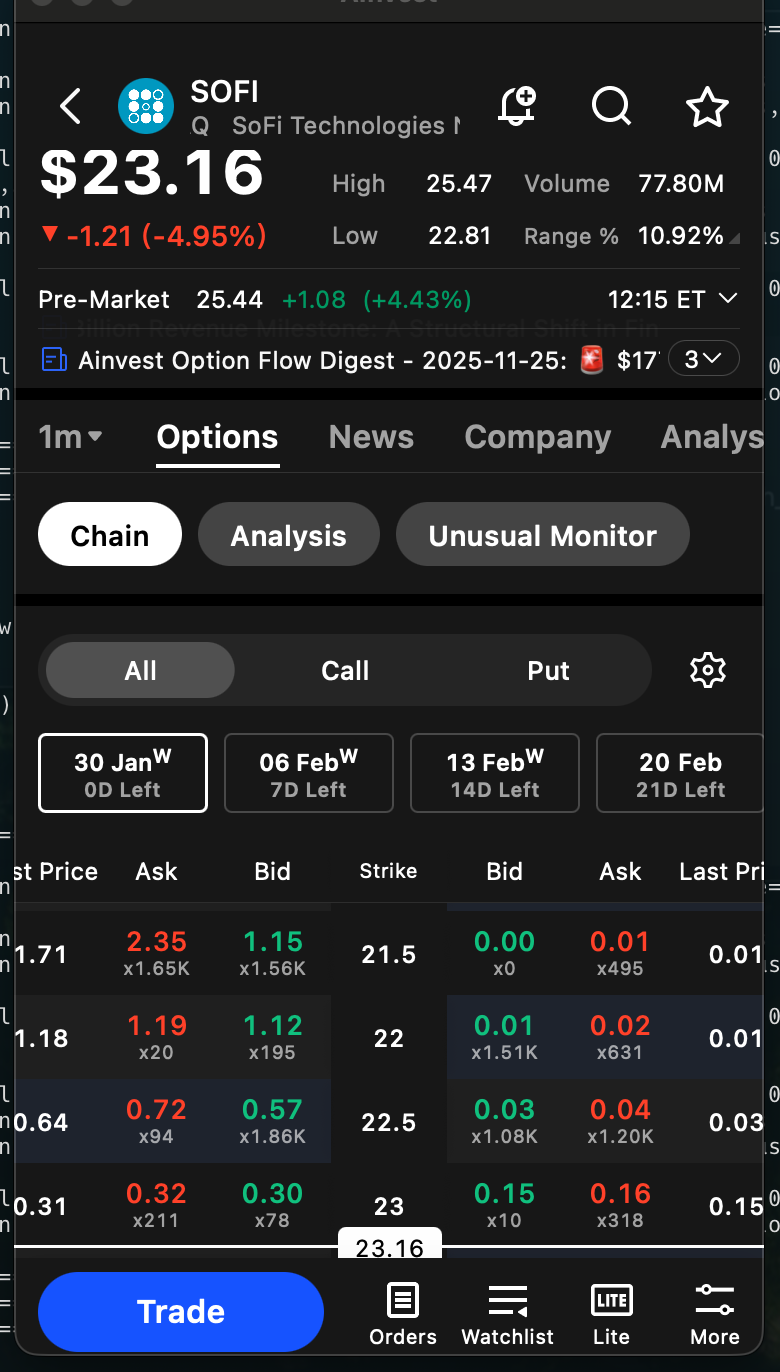
Mobile option chain filters showing expiration date tabs and All/Call/Put toggle
The mobile interface offers a streamlined subset of filters:
Expiration Date Tabs
Tabs across the top of the chain let you switch between expiration dates with a single tap. Swipe left or right to reveal additional dates.
All / Call / Put Toggle
Same as the web toggle. Tap All to see both calls and puts, or tap Call or Put to isolate one side.
The mobile chain does not include a Weekly/Regular toggle, a moneyness filter, or a By Strike organization mode. If you need those advanced filters, use the web interface.
When to Use Each Filter
ITM Filter
Use this when you are looking for contracts that already have intrinsic value. Common scenarios include:
- Covered calls: Selling ITM calls to collect premium with a higher probability of assignment.
- Protective puts: Buying ITM puts for stronger downside protection.
OTM Filter
Use this when you are looking for lower-cost speculative plays. OTM contracts have no intrinsic value and consist entirely of time value, making them cheaper but less likely to expire profitably.
Weekly vs. Regular
- Weekly options expire every Friday and are useful for short-term directional trades, earnings plays, or events with a known date.
- Regular (monthly) options offer more time until expiration and tend to have higher open interest and tighter spreads.
By Strike
Use this when you have a specific price target in mind. Organizing by strike lets you compare how the premium for a given strike changes across different expiration dates, which is essential for evaluating time decay and choosing the right expiration.
By Expiration
Use this when you have a target date in mind -- for example, an earnings date or a macro event. Organizing by expiration lets you compare premiums across all available strikes for that single date, which is the most common way to browse the chain.
Try it on Ainvest: Open the Option Chain — filter and sort contracts with live market data.




