
SAP Business Data Cloud Basic Trial: A Step-by-Step Guide
PorAinvest
martes, 5 de agosto de 2025, 11:08 pm ET1 min de lectura
SAP--
The registration process is straightforward. Users first need to create an SAP Universal ID if they do not already have one. This can be done by visiting the SAP account creation page and following the instructions to verify their account [2]. Once the SAP Universal ID is created, users can proceed to register for the Business Data Cloud basic trial by visiting the trial page and selecting "Try Now" [2]. A popup will appear with the assigned User ID and Password to access the trial workbook and tenant.
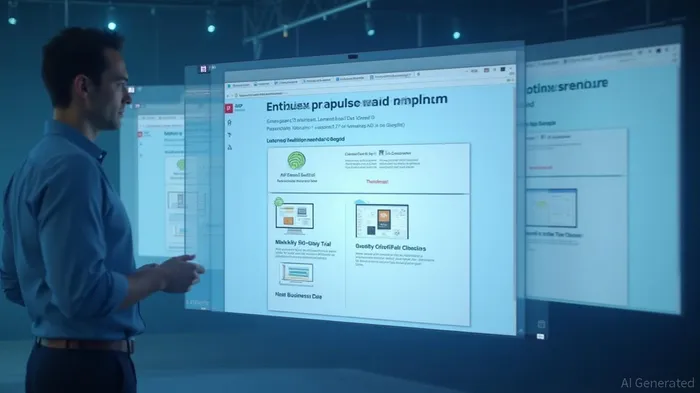
Upon signing in, users will see the SAP Business Data Cloud basic trial workbook. This workbook guides users through key workflows and core features. Users can access the workbook and browse the modules covered in the trial. Additionally, users can access the basic trial tenant from a link within the workbook, providing a guided walkthrough of the SAP Business Data Cloud Cockpit.
The trial period lasts for 30 days, during which users can continue learning and exploring the solution. If users are unable to complete the content within this period, they can re-register for an additional 30 days of access. However, content for each 30-day period is not saved and does not carry forward.
In summary, the SAP Business Data Cloud basic trial is an excellent resource for new users to get hands-on experience with the product. The guided workbook and tenant with sample data provide a structured learning environment, allowing users to explore and understand the foundation and capabilities of the solution.
References:
[1] https://www.sap.com/central-asia-caucasus/registration/trial.908cb719-0e03-421c-a091-daca045f0acc.html?external-site=aHR0cHM6Ly9kZXZlbG9wZXJzLnNhcC5jb20vdHJpYWxzLWRvd25sb2Fkcy5odG1s
[2] https://community.sap.com/t5/technology-blog-posts-by-sap/step-by-step-guide-getting-started-with-the-sap-business-data-cloud-basic/ba-p/14172806
SAP Business Data Cloud offers a basic trial for new users to learn about its features and workflows. To register, create an SAP Universal ID, then visit the SAP Business Data Cloud trial page to access a guided workbook and tenant with sample data for a 30-day trial. Once signed in, users can access the workbook and browse modules covered in the trial.
SAP Business Data Cloud (BDC) offers a basic trial for new users to familiarize themselves with its features and workflows. This 30-day trial provides an opportunity to learn and explore the capabilities of the solution. To register, users need to create an SAP Universal ID and then visit the SAP Business Data Cloud trial page. This process allows access to a guided workbook and a tenant with sample data for hands-on learning.The registration process is straightforward. Users first need to create an SAP Universal ID if they do not already have one. This can be done by visiting the SAP account creation page and following the instructions to verify their account [2]. Once the SAP Universal ID is created, users can proceed to register for the Business Data Cloud basic trial by visiting the trial page and selecting "Try Now" [2]. A popup will appear with the assigned User ID and Password to access the trial workbook and tenant.
Upon signing in, users will see the SAP Business Data Cloud basic trial workbook. This workbook guides users through key workflows and core features. Users can access the workbook and browse the modules covered in the trial. Additionally, users can access the basic trial tenant from a link within the workbook, providing a guided walkthrough of the SAP Business Data Cloud Cockpit.
The trial period lasts for 30 days, during which users can continue learning and exploring the solution. If users are unable to complete the content within this period, they can re-register for an additional 30 days of access. However, content for each 30-day period is not saved and does not carry forward.
In summary, the SAP Business Data Cloud basic trial is an excellent resource for new users to get hands-on experience with the product. The guided workbook and tenant with sample data provide a structured learning environment, allowing users to explore and understand the foundation and capabilities of the solution.
References:
[1] https://www.sap.com/central-asia-caucasus/registration/trial.908cb719-0e03-421c-a091-daca045f0acc.html?external-site=aHR0cHM6Ly9kZXZlbG9wZXJzLnNhcC5jb20vdHJpYWxzLWRvd25sb2Fkcy5odG1s
[2] https://community.sap.com/t5/technology-blog-posts-by-sap/step-by-step-guide-getting-started-with-the-sap-business-data-cloud-basic/ba-p/14172806
Divulgación editorial y transparencia de la IA: Ainvest News utiliza tecnología avanzada de Modelos de Lenguaje Largo (LLM) para sintetizar y analizar datos de mercado en tiempo real. Para garantizar los más altos estándares de integridad, cada artículo se somete a un riguroso proceso de verificación con participación humana.
Mientras la IA asiste en el procesamiento de datos y la redacción inicial, un miembro editorial profesional de Ainvest revisa, verifica y aprueba de forma independiente todo el contenido para garantizar su precisión y cumplimiento con los estándares editoriales de Ainvest Fintech Inc. Esta supervisión humana está diseñada para mitigar las alucinaciones de la IA y garantizar el contexto financiero.
Advertencia sobre inversiones: Este contenido se proporciona únicamente con fines informativos y no constituye asesoramiento profesional de inversión, legal o financiero. Los mercados conllevan riesgos inherentes. Se recomienda a los usuarios que realicen una investigación independiente o consulten a un asesor financiero certificado antes de tomar cualquier decisión. Ainvest Fintech Inc. se exime de toda responsabilidad por las acciones tomadas con base en esta información. ¿Encontró un error? Reportar un problema




Comentarios
Aún no hay comentarios