
Revolutionizing Screenshots: iOS 26 Adds Visual Intelligence
PorAinvest
martes, 15 de julio de 2025, 4:20 pm ET1 min de lectura
AAPL--
One of the standout features is the "Add to Calendar" option. This new capability allows users to take a screenshot of an event and automatically add it to their calendar. The feature extracts the event details from the screenshot and auto-populates a new calendar entry, saving users the time and effort of manually adding the event. This is particularly useful for capturing event information from websites, emails, or other digital sources.
Another notable addition is the "Image Search" feature. With this capability, users can take a screenshot and perform a search for similar images using Google, Etsy, or other supported apps. This feature is especially useful for shopping, as users can highlight specific objects in the screenshot and search for similar products online. This integration of visual intelligence into screenshots makes it easier to find and purchase items, enhancing the overall user experience.
The third and perhaps most exciting feature is the "Ask ChatGPT" option. This feature allows users to ask questions about the contents of a screenshot using OpenAI's ChatGPT assistant. Users can type out any question they have about the image and receive a response from ChatGPT. Additionally, users can highlight specific parts of the screenshot to get a more precise response, eliminating the need to crop the image first. This feature is particularly useful for clarifying details or obtaining additional information about the captured content.
These new features in iOS 26 highlight Apple's commitment to refining the user experience through thoughtful and practical updates. By integrating visual intelligence into screenshots, Apple is providing users with more reasons to take screenshots and making it easier to save, share, and interact with captured images. These enhancements are likely to be well-received by users and could potentially drive further adoption of Apple's ecosystem.
References:
[1] https://www.geeky-gadgets.com/ios-26-hidden-features-2/
[2] https://9to5mac.com/2025/07/15/iphone-screenshots-are-getting-three-powerful-new-features-in-ios-26/
ETSY--
GOOGL--
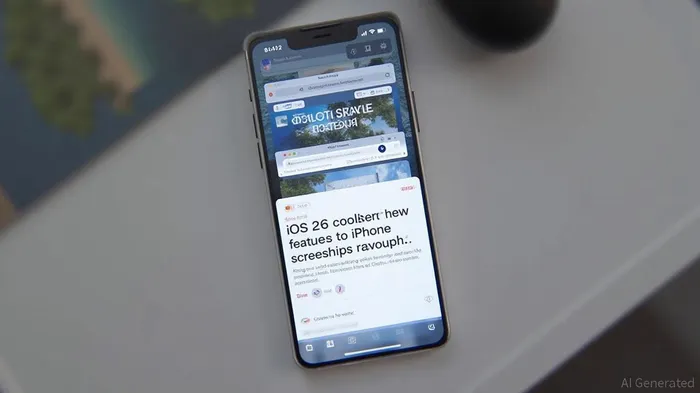
iOS 26 brings three new features to iPhone screenshots, including the ability to add events to calendars, perform image searches with Google and other apps, and ask ChatGPT questions about the image contents. These features will provide more reasons to take screenshots and make it easier to save, share, and interact with captured images.
Apple's latest iOS update, iOS 26, introduces three innovative features that significantly enhance the functionality of screenshots on iPhones. These new capabilities are designed to make it easier and more efficient to save, share, and interact with captured images. The updates include the ability to add events to calendars, perform image searches with Google and other apps, and ask ChatGPT questions about the image contents.One of the standout features is the "Add to Calendar" option. This new capability allows users to take a screenshot of an event and automatically add it to their calendar. The feature extracts the event details from the screenshot and auto-populates a new calendar entry, saving users the time and effort of manually adding the event. This is particularly useful for capturing event information from websites, emails, or other digital sources.
Another notable addition is the "Image Search" feature. With this capability, users can take a screenshot and perform a search for similar images using Google, Etsy, or other supported apps. This feature is especially useful for shopping, as users can highlight specific objects in the screenshot and search for similar products online. This integration of visual intelligence into screenshots makes it easier to find and purchase items, enhancing the overall user experience.
The third and perhaps most exciting feature is the "Ask ChatGPT" option. This feature allows users to ask questions about the contents of a screenshot using OpenAI's ChatGPT assistant. Users can type out any question they have about the image and receive a response from ChatGPT. Additionally, users can highlight specific parts of the screenshot to get a more precise response, eliminating the need to crop the image first. This feature is particularly useful for clarifying details or obtaining additional information about the captured content.
These new features in iOS 26 highlight Apple's commitment to refining the user experience through thoughtful and practical updates. By integrating visual intelligence into screenshots, Apple is providing users with more reasons to take screenshots and making it easier to save, share, and interact with captured images. These enhancements are likely to be well-received by users and could potentially drive further adoption of Apple's ecosystem.
References:
[1] https://www.geeky-gadgets.com/ios-26-hidden-features-2/
[2] https://9to5mac.com/2025/07/15/iphone-screenshots-are-getting-three-powerful-new-features-in-ios-26/
Divulgación editorial y transparencia de la IA: Ainvest News utiliza tecnología avanzada de Modelos de Lenguaje Largo (LLM) para sintetizar y analizar datos de mercado en tiempo real. Para garantizar los más altos estándares de integridad, cada artículo se somete a un riguroso proceso de verificación con participación humana.
Mientras la IA asiste en el procesamiento de datos y la redacción inicial, un miembro editorial profesional de Ainvest revisa, verifica y aprueba de forma independiente todo el contenido para garantizar su precisión y cumplimiento con los estándares editoriales de Ainvest Fintech Inc. Esta supervisión humana está diseñada para mitigar las alucinaciones de la IA y garantizar el contexto financiero.
Advertencia sobre inversiones: Este contenido se proporciona únicamente con fines informativos y no constituye asesoramiento profesional de inversión, legal o financiero. Los mercados conllevan riesgos inherentes. Se recomienda a los usuarios que realicen una investigación independiente o consulten a un asesor financiero certificado antes de tomar cualquier decisión. Ainvest Fintech Inc. se exime de toda responsabilidad por las acciones tomadas con base en esta información. ¿Encontró un error? Reportar un problema




Comentarios
Aún no hay comentarios