
MacOS Tahoe 26: Unlocking New Customization Options for Your Mac
PorAinvest
jueves, 7 de agosto de 2025, 8:16 pm ET1 min de lectura
AAPL--
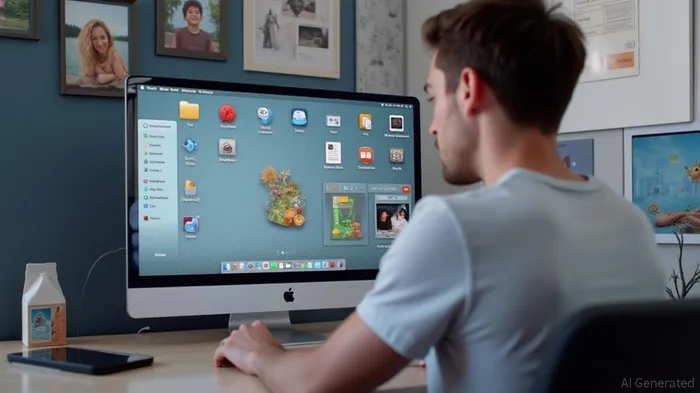
Icon tinting allows users to choose between default, dark, and clear tinting options, or customize with a chosen color. This feature not only adds a personal touch to the desktop but also improves accessibility by making icons more distinguishable. Additionally, the menu bar can be toggled to show a transparent or background design, providing users with the option to maximize screen real estate or maintain a more traditional look.
Folders can be customized with emojis or symbols and changed to a default color, making it easier for users to organize and identify their files. The ability to pin collections in Photos is another notable feature, enabling users to quickly access their favorite photos without having to navigate through multiple folders.
The Control Center layout can also be customized, allowing users to rearrange and add third-party app controls. This level of customization ensures that the Control Center is tailored to the user's needs, making it more efficient and user-friendly.
macOS Tahoe 26 is set to be released this fall, following a public beta testing phase that begins in July. The new version is expected to bring significant improvements in performance and security, as well as a more cohesive cross-platform experience with iOS and iPadOS 26.
References:
[1] https://www.macrumors.com/roundup/macos-26/
macOS Tahoe 26 introduces new customization options, including icon tinting, menu bar customization, and folder customization. Icon tinting allows users to choose between default, dark, and clear tinting options, or customize with a chosen color. The menu bar can be toggled to show a transparent or background design. Folders can be customized with emojis or symbols and changed to a default color. Additionally, users can pin collections in Photos, customize Control Center layout, and more.
macOS Tahoe 26, the latest iteration of Apple's operating system for Mac computers, introduces a suite of new customization options aimed at enhancing user experience. Among the key features are icon tinting, menu bar customization, and folder customization, all designed to offer users more control over their desktop environment.Icon tinting allows users to choose between default, dark, and clear tinting options, or customize with a chosen color. This feature not only adds a personal touch to the desktop but also improves accessibility by making icons more distinguishable. Additionally, the menu bar can be toggled to show a transparent or background design, providing users with the option to maximize screen real estate or maintain a more traditional look.
Folders can be customized with emojis or symbols and changed to a default color, making it easier for users to organize and identify their files. The ability to pin collections in Photos is another notable feature, enabling users to quickly access their favorite photos without having to navigate through multiple folders.
The Control Center layout can also be customized, allowing users to rearrange and add third-party app controls. This level of customization ensures that the Control Center is tailored to the user's needs, making it more efficient and user-friendly.
macOS Tahoe 26 is set to be released this fall, following a public beta testing phase that begins in July. The new version is expected to bring significant improvements in performance and security, as well as a more cohesive cross-platform experience with iOS and iPadOS 26.
References:
[1] https://www.macrumors.com/roundup/macos-26/
Divulgación editorial y transparencia de la IA: Ainvest News utiliza tecnología avanzada de Modelos de Lenguaje Largo (LLM) para sintetizar y analizar datos de mercado en tiempo real. Para garantizar los más altos estándares de integridad, cada artículo se somete a un riguroso proceso de verificación con participación humana.
Mientras la IA asiste en el procesamiento de datos y la redacción inicial, un miembro editorial profesional de Ainvest revisa, verifica y aprueba de forma independiente todo el contenido para garantizar su precisión y cumplimiento con los estándares editoriales de Ainvest Fintech Inc. Esta supervisión humana está diseñada para mitigar las alucinaciones de la IA y garantizar el contexto financiero.
Advertencia sobre inversiones: Este contenido se proporciona únicamente con fines informativos y no constituye asesoramiento profesional de inversión, legal o financiero. Los mercados conllevan riesgos inherentes. Se recomienda a los usuarios que realicen una investigación independiente o consulten a un asesor financiero certificado antes de tomar cualquier decisión. Ainvest Fintech Inc. se exime de toda responsabilidad por las acciones tomadas con base en esta información. ¿Encontró un error? Reportar un problema




Comentarios
Aún no hay comentarios