
Instagram Map: How to Use and Protect Your Privacy
PorAinvest
viernes, 8 de agosto de 2025, 1:03 pm ET2 min de lectura
META--
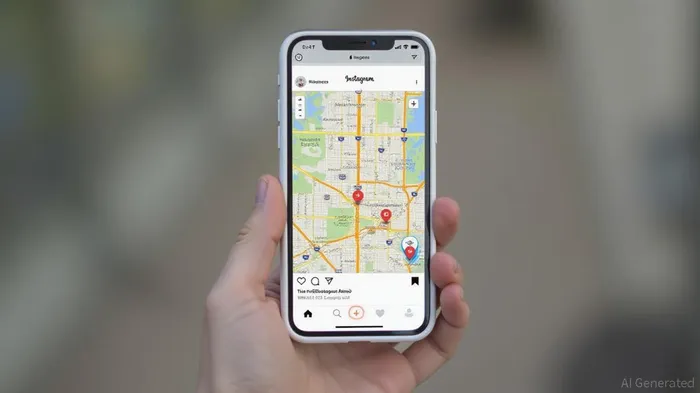
To access the Map feature, users can navigate to their Direct Messages (DMs) page and tap on the "Map" option. The feature is designed to help users connect with friends and discover content from different locations, such as concerts or restaurants. However, it has also raised concerns among users about potential privacy risks.
To turn off location sharing, users can follow these steps: Open Instagram and go to Direct Messages, tap the Map tab at the top of the inbox, tap the settings icon in the top right corner, under "Who can see your location," choose "No one," and select "Update" or "Done" to save changes. Additionally, users can prevent Instagram from accessing their location through their phone's settings by going to Privacy & Security, tapping Location Services, selecting Instagram from the list of apps, and choosing "Never" to deny location access [1].
Meta has emphasized that the location sharing feature is not automatically enabled and that users have full control over their location data. However, some users have reported that their location was shared automatically before the feature was even rolled out, raising concerns about potential security risks [4]. Meta has since clarified that location sharing is off by default and can only be shared with a limited group of people chosen by the user.
The new Map feature is part of a broader set of updates aimed at enhancing user interaction and safety on Instagram. These updates include reposting tools, a location-sharing map, and a new "Friends" tab in Reels. Meta has also introduced safety enhancements, such as direct messaging controls for teen users and child-safety tools for adult-run accounts [2].
Despite the concerns, the Map feature has the potential to provide users with a more engaging and interactive experience on Instagram. However, it is crucial for users to be aware of the privacy implications and take steps to ensure their location data is protected. As with any new feature, it is essential to stay informed and make use of the available settings to control how your data is shared.
References:
[1] https://tech.yahoo.com/social-media/articles/turn-off-instagram-map-feature-143537878.html
[2] https://tribune.com.pk/story/2560108/instagram-rolls-out-reposts-location-map-and-friends-tab-to-boost-social-sharing-and-safety
[4] https://nypost.com/2025/08/07/tech/instagrams-new-location-tracking-feature-accused-of-attracting-stalkers-heres-how-to-make-sure-its-switched-off/
SNAP--
Instagram's new "Map" feature, similar to Snap Map, allows users to share their location with others and discover location-based content. Location sharing is off by default and requires explicit consent. Users can access the feature by navigating to their DMs page and tapping the "Map" option. To turn off location sharing, users can follow the steps outlined in the article.
Instagram, a subsidiary of Meta, has recently introduced a new feature that allows users to share their location with others and discover location-based content. Dubbed the "Map" feature, this update is similar to Snap Map and has sparked discussions about privacy and safety. The feature is opt-in by default, meaning users must explicitly consent to share their location.To access the Map feature, users can navigate to their Direct Messages (DMs) page and tap on the "Map" option. The feature is designed to help users connect with friends and discover content from different locations, such as concerts or restaurants. However, it has also raised concerns among users about potential privacy risks.
To turn off location sharing, users can follow these steps: Open Instagram and go to Direct Messages, tap the Map tab at the top of the inbox, tap the settings icon in the top right corner, under "Who can see your location," choose "No one," and select "Update" or "Done" to save changes. Additionally, users can prevent Instagram from accessing their location through their phone's settings by going to Privacy & Security, tapping Location Services, selecting Instagram from the list of apps, and choosing "Never" to deny location access [1].
Meta has emphasized that the location sharing feature is not automatically enabled and that users have full control over their location data. However, some users have reported that their location was shared automatically before the feature was even rolled out, raising concerns about potential security risks [4]. Meta has since clarified that location sharing is off by default and can only be shared with a limited group of people chosen by the user.
The new Map feature is part of a broader set of updates aimed at enhancing user interaction and safety on Instagram. These updates include reposting tools, a location-sharing map, and a new "Friends" tab in Reels. Meta has also introduced safety enhancements, such as direct messaging controls for teen users and child-safety tools for adult-run accounts [2].
Despite the concerns, the Map feature has the potential to provide users with a more engaging and interactive experience on Instagram. However, it is crucial for users to be aware of the privacy implications and take steps to ensure their location data is protected. As with any new feature, it is essential to stay informed and make use of the available settings to control how your data is shared.
References:
[1] https://tech.yahoo.com/social-media/articles/turn-off-instagram-map-feature-143537878.html
[2] https://tribune.com.pk/story/2560108/instagram-rolls-out-reposts-location-map-and-friends-tab-to-boost-social-sharing-and-safety
[4] https://nypost.com/2025/08/07/tech/instagrams-new-location-tracking-feature-accused-of-attracting-stalkers-heres-how-to-make-sure-its-switched-off/
Divulgación editorial y transparencia de la IA: Ainvest News utiliza tecnología avanzada de Modelos de Lenguaje Largo (LLM) para sintetizar y analizar datos de mercado en tiempo real. Para garantizar los más altos estándares de integridad, cada artículo se somete a un riguroso proceso de verificación con participación humana.
Mientras la IA asiste en el procesamiento de datos y la redacción inicial, un miembro editorial profesional de Ainvest revisa, verifica y aprueba de forma independiente todo el contenido para garantizar su precisión y cumplimiento con los estándares editoriales de Ainvest Fintech Inc. Esta supervisión humana está diseñada para mitigar las alucinaciones de la IA y garantizar el contexto financiero.
Advertencia sobre inversiones: Este contenido se proporciona únicamente con fines informativos y no constituye asesoramiento profesional de inversión, legal o financiero. Los mercados conllevan riesgos inherentes. Se recomienda a los usuarios que realicen una investigación independiente o consulten a un asesor financiero certificado antes de tomar cualquier decisión. Ainvest Fintech Inc. se exime de toda responsabilidad por las acciones tomadas con base en esta información. ¿Encontró un error? Reportar un problema




Comentarios
Aún no hay comentarios