
Google Rolls Out AI Mode Shortcut for Search Widget on Android
PorAinvest
domingo, 27 de julio de 2025, 1:09 pm ET1 min de lectura
GOOGL--
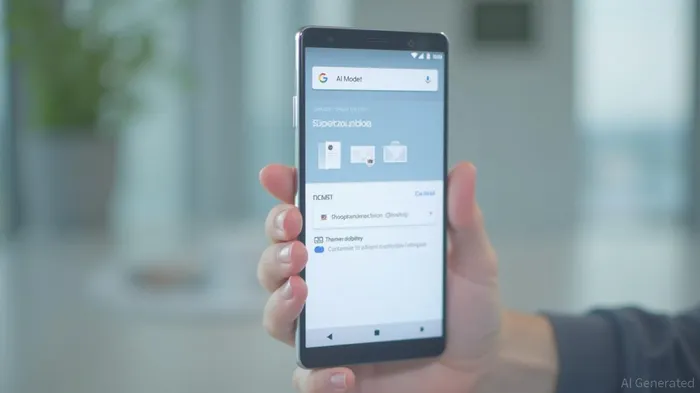
The AI Mode shortcut allows users to quickly access the fullscreen AI Mode screen and enter a prompt directly from their homescreen. This enhancement is particularly notable as it simplifies the process of interacting with AI Mode, which has been a core focus of Google's search experience.
To set up the AI Mode widget, users need to long-press the widget on their homescreen and navigate to the Customize screen. Here, they can adjust theme and transparency options to personalize their widget experience. The shortcut for AI Mode appears as the second option in the grid after "None," making it easily accessible.
For users who do not own a Pixel device, the "Google" widget remains the quickest way to launch AI Mode from their homescreen. This inclusivity ensures that the benefits of AI Mode are available to a broader audience.
The rollout of the AI Mode widget shortcut comes amidst a series of updates and enhancements to Google's AI Mode, which has seen significant growth and adoption since its launch. The feature has been integrated into various aspects of Google's ecosystem, including the Google Search bar, Pixel Launcher, and even Google Doodles.
As AI continues to be a central focus of Google's search experience, these updates signify the company's commitment to innovating and improving the user experience. The AI Mode shortcut is part of a broader strategy to make advanced search functionalities more accessible and user-friendly.
References:
1. [Google AI Mode: New Tab Page Adding AI Mode Shortcut](https://9to5google.com/guides/google-ai-mode/)
2. [Google AI Mode: Circle to Search Adding AI Mode and Gaming Help on Android](https://9to5google.com/2025/07/27/google-search-widget-ai-mode/)
Google has rolled out an AI Mode shortcut for the Search widget on Android devices. The shortcut lets users quickly access the fullscreen AI Mode screen and enter a prompt. The feature was first introduced in April for some users of the Google app beta and has now been widely rolled out for both beta and stable users on Google app 16.28. The AI Mode widget shortcut appears in the Google app settings, and users can customize the widget with theme and transparency options.
Google has taken a significant step in enhancing user experience by rolling out an AI Mode shortcut for the Search widget on Android devices. This feature, initially introduced in April for some users of the Google app beta, has now been widely extended to both beta and stable users on Google app 16.28.The AI Mode shortcut allows users to quickly access the fullscreen AI Mode screen and enter a prompt directly from their homescreen. This enhancement is particularly notable as it simplifies the process of interacting with AI Mode, which has been a core focus of Google's search experience.
To set up the AI Mode widget, users need to long-press the widget on their homescreen and navigate to the Customize screen. Here, they can adjust theme and transparency options to personalize their widget experience. The shortcut for AI Mode appears as the second option in the grid after "None," making it easily accessible.
For users who do not own a Pixel device, the "Google" widget remains the quickest way to launch AI Mode from their homescreen. This inclusivity ensures that the benefits of AI Mode are available to a broader audience.
The rollout of the AI Mode widget shortcut comes amidst a series of updates and enhancements to Google's AI Mode, which has seen significant growth and adoption since its launch. The feature has been integrated into various aspects of Google's ecosystem, including the Google Search bar, Pixel Launcher, and even Google Doodles.
As AI continues to be a central focus of Google's search experience, these updates signify the company's commitment to innovating and improving the user experience. The AI Mode shortcut is part of a broader strategy to make advanced search functionalities more accessible and user-friendly.
References:
1. [Google AI Mode: New Tab Page Adding AI Mode Shortcut](https://9to5google.com/guides/google-ai-mode/)
2. [Google AI Mode: Circle to Search Adding AI Mode and Gaming Help on Android](https://9to5google.com/2025/07/27/google-search-widget-ai-mode/)
Divulgación editorial y transparencia de la IA: Ainvest News utiliza tecnología avanzada de Modelos de Lenguaje Largo (LLM) para sintetizar y analizar datos de mercado en tiempo real. Para garantizar los más altos estándares de integridad, cada artículo se somete a un riguroso proceso de verificación con participación humana.
Mientras la IA asiste en el procesamiento de datos y la redacción inicial, un miembro editorial profesional de Ainvest revisa, verifica y aprueba de forma independiente todo el contenido para garantizar su precisión y cumplimiento con los estándares editoriales de Ainvest Fintech Inc. Esta supervisión humana está diseñada para mitigar las alucinaciones de la IA y garantizar el contexto financiero.
Advertencia sobre inversiones: Este contenido se proporciona únicamente con fines informativos y no constituye asesoramiento profesional de inversión, legal o financiero. Los mercados conllevan riesgos inherentes. Se recomienda a los usuarios que realicen una investigación independiente o consulten a un asesor financiero certificado antes de tomar cualquier decisión. Ainvest Fintech Inc. se exime de toda responsabilidad por las acciones tomadas con base en esta información. ¿Encontró un error? Reportar un problema




Comentarios
Aún no hay comentarios