
Dreamface AI Filter – Turn Your Imagination into Reality ✨
Dream it. Face it. Make it real.
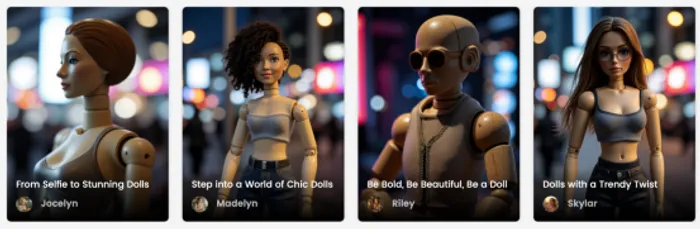
Step into the world where art meets AI.
The Dreamface’s AI Filter transforms your photos and videos into breathtaking visual experiences — from magical, cinematic scenes to vibrant, surreal worlds. Whether you want to see yourself as a character in a fantasy movie, a masterpiece painting, or a scene straight out of your wildest dreams, Dreamface makes it possible in just seconds.
Why People Love Dreamface AI Filters ❤️
1. Infinite Styles – From Ghibli-inspired animation to fiery fantasy effects, there’s a filter for every mood.
2. Instant Transformation – Upload a picture, choose your style, and watch it come alive in moments.
3. Share-Ready Results – Perfect for TikTok, Instagram, or any platform where you want to stand out.
How to Use Dreamface AI Filter
Step 1: Upload your image.

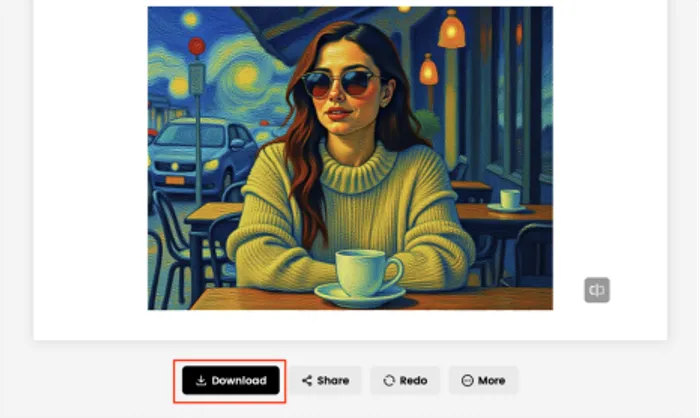
Step 2: Select a filter that matches your mood — choose from template like Ghibli, Trendy Dolls or Starry Sky. Let Dreamface work its magic. In seconds, you’ll have a high-quality, share-worthy creation.
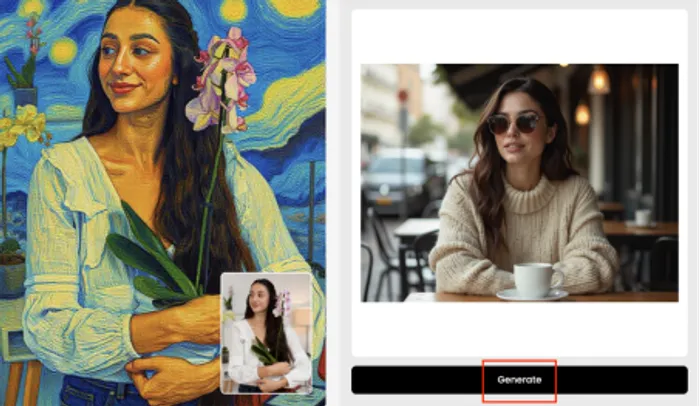
Step 3: Download and post to wow your friends and followers.
Creative Ideas to Try
- Turn your pet into a retro Japanese animated companion.
- Reimagine yourself as a hero in a fiery, apocalyptic scene.
- Transform ordinary selfies into dreamy mermaid art pieces.
- Give your travel photos a cinematic superhero glow.
The power of Dreamface’s AI Filter is more than just fun — it’s a gateway to creative freedom. Whether you’re transforming your photos into whimsical anime scenes, fiery fantasy worlds, or surreal dreamscapes, the possibilities are limitless.
With just a few clicks, you can become a character in the story you’ve always imagined. It’s not just about changing your appearance; it’s about reinventing yourself, your world, and your way of expressing what matters most to you. The magic is in your hands — and all you need is a picture to get started.







Comentarios
Aún no hay comentarios